editor@ijsrp.org / ijsrp.editor@gmail.com
Subscribe Us Resources Join to Connect
IJSRP Logo

International Journal of Scientific and Research Publications

Latest Post

  • Proven Strategies to Ensure Security in Remote Work Environments 

    Proven Strategies to Ensure Security in Remote Work Environments 

    Remote working has become the new normal since the emergence of the Covid19 pandemic. It has proven cost-effective for most companies as they don’t have to invest in onsite workstations. It also gives them the power to work with the best talents worldwide without the need to move around.

    However, it has its share of cybersecurity threats, as each worker can be a link to a cyberattack. You need effective strategies to secure their environments and protect sensitive company data. Meraki Sytems Manager offers you a go-to solution for securing remote workers’ devices and implementing your organization’s security policies to prevent attacks. Here’s a detailed overview of proven strategies to ensure security in remote work environments.

    Use a Secure Internet Connection

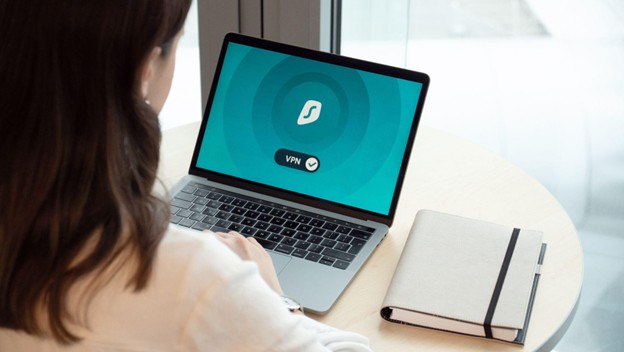
    When working remotely, it’s common to find workers preferring to work in a nearby coffee shop to break the monotony of home environments. They may have to use public Wi-Fi when working, which, if not secure, could lead attackers to your company database. To avoid such scenarios, remote workers should use a secure virtual private network (VPN) when using a public internet connection.

    VPNs encrypt the internet traffic from public Wi-Fi and inspect any infections before establishing a network connection. Having a VPN is not enough, as not all VPNs are secure. Verify the safety of the VPN you want your employees to use by checking whether it provides all the security parameters you need.

    Always Use Supported Operating System Versions

    Operating systems developers only support and maintain the latest few versions of their product, as maintaining all versions isn’t cost-effective. The unsupported versions are easily cracked and exploited by cybercriminals, as they don’t get security patches on possible vulnerabilities.

    They may expose your devices to attacks and sensitive data misappropriation risks. As such, it’s a best practice only to use the supported versions of your OS and, if possible, upgrade to the latest version if your device can run it.

    Most OS developers have a pattern of supporting their latest three releases, and you can always visit their websites to check the supported versions.

    Invest in Antivirus, Firewall, and Email Security

    Antivirus software detects viruses in your computer systems and removes them before they corrupt your files and stored data. Such an antivirus works as a prophylactic, removing the detected virus and preventing attacks. Firewalls, on the other hand, block unwanted traffic into your remote work website.

    You also need to implement adequate email security standards, as emails are key targets for attackers. They use emails to spread malware and lay other intrusion traps. Email security protects sensitive information in emails, restricting unauthorized access or compromise of information. Ensure you have enough Sender Policy Framework (SPF), DMARC, and Domain Key Identified Mail (DKIM) policies to protect your company data against phishing and spoofing.

    Use an Authenticator Application and Enable Two-Factor Authentication

    Two-factor authentication system controls access requiring two pieces of verification for anyone who tries to access a restricted device or file. It can reduce the risk of malware infections and phishing emails, offering an added layer of protection even if an attacker gains access to your password. To successfully log in, they still require access to the system that generates your one-time verification code—your security key or authenticator application.

    The second layer of protection can take various forms but push notifications or one-time codes are the most common. Though highly convenient, you should refrain from using SMS as your second authentication factor. Attackers have developed ways to deceive telecommunication companies and swap phone numbers to new lines via social engineering.

    Use Data Encryption Tools

    Data encryption software transforms information into an unreadable format called ciphertext. Only a person with an encryption key or the intended recipient can read the data. You can use several encryption software and protocols, such as Secure Socket Layer (SSL) certificates, which can help secure your remote environments. Installing these protocols, like the SSL certificate on your remote working platforms, conceals the data in transit to an indecipherable format —protecting it from unauthorized access.

    Boost Security by Establishing a Device Standard

    If possible, let all your employees use a standard computer the company provides to ease the process of securing them. With standard devices across the workforce, it’s easier to keep all the devices up-to-date as you only have one set of updates. You can also secure them under one security solution, thus proving cost-effective in the long run.

    You can provide your employees with devices depending on their roles, and work demands, as not every employee requires the same devices as all others. For example, programmers and graphic designers may need a professional workstation, while a reliable laptop can be a good fit for office workers. The focus shouldn’t be on attaining uniformity but on platform consistency for more manageable security solutions.

    With all devices running on the same OS, it’s easy to keep track of any updates and update all at once. Also, since they can run the same types of software, updating them to the latest versions will be more manageable.

    Keep Your Remote Work Environment Secure

    While cybersecurity remains a significant threat even among the most prominent companies globally, you can take steps to minimize the risks of attacks and keep your data safe. Using secure network connections, constantly updating your systems, and encrypting your devices are essential strategies for protecting your remote work environment.

  • Why Are Criminal Charges Dropped or Dismissed?

    Why Are Criminal Charges Dropped or Dismissed?

    If people were to look up your jail records, you’d love it if no one was able to find anything. That could be for a couple of reasons – your charges may have been dropped or dismissed.

    When people hear either of those terms, they tend to think of them as being interchangeable. That is not the case. It’s important to know about them both since being arrested for anything can be very nerve-wracking. You can see your whole future potentially going up in smoke, depending on what they are charging you with.

    You could be facing serious jail time or a hefty fine or both. So it would be to your benefit to have those charges dropped or dismissed.

    What Happens When A Charge is Dropped?

    When you are arrested, the police officer will send all the information about the situation to a prosecutor. That prosecutor will look over everything and make a decision whether to go ahead with the charges or not. This is dependent on whether or not they think that they have a suitable case against you – enough to get a conviction in a courtroom trial.

    If it turns out that the prosecutor determines that they don’t have enough evidence to actively pursue a case against you, then they will drop the case by not filing the charges initially or after something has come to light that you were most likely not the one to have committed the alleged crime.

    Here are some reasons why the charges might be dropped:

    • Not enough evidence
    • Contradictory evidence
    • Illegally obtained evidence, like without a search warrant, which is a violation of your Fourth Amendment rights
    • Errors in procedure during arrest, interrogation, or booking, like coercing you or a witness or not giving you access to an attorney
    • Non-cooperative witnesses who may not be talking to the police or any other law enforcement
    • The prosecutor might have a lot of cases on their plate and they may not be able to focus on yours and might not deem it worth their time or efforts

    What Happens When a Case is Dismissed

    This is what happens when you have been charged and the prosecutor is intent on moving ahead, but then something could be discovered. There may have been an error in the way that certain evidence was handled – perhaps the usual chain of custody was not followed, which could then cast a doubt about whether something suspicious happened in between one person handing it off to another.

    There are two entities that can dismiss your case. The prosecutor or the court, which is the judge. The judge may look at everything that the prosecutor has and determine that a trial would waste everyone’s time and dismiss the charges.

    Which Would Be Better?

    In the vast majority of cases, you would prefer to get a dismissal. There is a chance that they could re-file in those dropped cases … which could mean that you have to go through the whole bail situation again, which can be expensive. You don’t want to be uncertain if they are going to be knocking on your door again to bring you back into jail.

    On the other hand, you can be pretty certain that a dismissed charge won’t come back to bite you. Prosecutors or judges tend to let them stay in the past. You will have a very good chance of being able to move forward with your life.

    Post-Dropping or Dismissal

    Just because the charges were dropped or dismissed does not mean that you are entirely in the clear. There is a statute of limitations and you could actually be re-arrested if the prosecutor finds other evidence that possibly points at your guilt. It is only if the trial had already started that you could face the possibility of being in legal double jeopardy and cannot be arrested again or tried again for the same crime. .

    Having a great criminal defense lawyer can really help you here. Contact one as soon as you hear about the potential charges. They will have a sharp eye to look out for reasons to drop or dismiss the charges against you. It can be the difference from not having to worry about anything to potentially facing a big trial.

    Hopefully, you will never find yourself sitting in a police station while wondering if you will have to sit in a courtroom in the future. This knowledge of dropping vs dismissal can possibly help you be less stressed.

    Sources

    https://www.nolo.com/legal-encyclopedia/can-i-charged-again-even-the-case-dismissed-arraignment.html

    https://kretzerfirm.com/charges-dropped-vs-charges-dismissed

  • Practical Tips for Parents in Easing Kid’s Anxiety caused by Social Media 

    Practical Tips for Parents in Easing Kid’s Anxiety caused by Social Media 

    Growing up isn’t an easy process, and adolescence is a difficult period for most kids. Parents can take multiple steps to address issues related to social media use among their kids to manage anxiety. Social media influences young people’s day-to-day lives, so parents must set up rules for online activity.

    Develop a Plan to Approach Anxiety-Related Situations

    Anxiety disorders involve fear and anxiety in situations that don’t pose a real danger. Parents tend to accommodate their kid’s need to escape or avoid things that evoke anxiety. Allowing your kids to avoid distressing situations is only beneficial for a short time. Learn more at MotherhoodCommunity about how to encourage your kid to face situations that may evoke anxiety by developing a plan and taking gradual steps toward fearful situations.

    Encourage Face-to-Face Interactions With Friends

    Most people communicate differently on social media than they do in face-to-face interactions. Cues synonymous with in-person interactions, such as gestures, facial expressions, and tonal variations, may reveal what a person is feeling. Interpersonal interactions promote those cues to facilitate a solid communication skillset. Parents should encourage their children to bring their friends over, collect the teen’s mobile phones, and return them when their friends leave.

    Set Limits

    Teens who spend most of their time online may experience the pressure of constantly checking their social media accounts, posting, texting, and seeing the activities of others on their pages. Parents must establish fundamental limits around using a computer or a phone. You can start by switching off your kids’ phones one hour before bedtime and storing the gadgets in your room to minimize the temptation of your children staying up late texting. You should notify them to relay the information about a specific signing-off time to their friends to ensure they interact within the agreed timeframe.

    Keep Communication Open

    Maintaining effective communication with your teen may prove uncomfortable and challenging at times. Teenagers may not necessarily confide with their parents as they become independent. Supportive contact with your kids is crucial as it enhances comfort and trust in sharing their feelings. You should try as much as possible to establish open communication lines with your kids and inquire about their day. Your kids may fail to go into the details, but they’ll beware that you’re genuinely concerned and interested in their well-being. Please encourage your children to communicate openly regarding the causes of their anxiety and have an in-depth conversation about managing anxiety triggers.

    Help Your Kids to Remain Savvy

    Parents should teach their children how to remain safe on social media platforms. Make sure to inform your kids about the recommended online conduct, such as avoiding incendiary language, being polite, and being wary of the content they post. Educate them about cybersecurity measures to minimize the possibility of disinformation and misinformation. Knowledge is essential and allows your kid to better recognize harmful content and predators. You should also assess whatever activities your kids do online to ensure nothing dangerous reaches them.

    Nurture Your Child’s Self-Esteem

    Highlight your kids’ strengths rather than weaknesses by complimenting them on their kindness, consideration, or thoughtfulness of others. Your teen may have a strong character or intellectual traits that make them stand out from the rest. Building self-confidence and resilience help your kids to identify their ability to solve emerging problems independently. You can sustain your kids’ motivation by enrolling them in music, art, athletics, or any other activity of their liking. Your kid will develop robust self-esteem, which diverts the anxiety away, bolstering confidence in the long run, which helps guard against unfavorable comparisons with other kids who seem to have a perfect life online. Your kid may also meet peers with the same interests and nurture friendships.

    Be a Role Model

    Your kid looks up to you for guidance on managing anxiety and stress. The way you express anger and cope with frustration is crucial for your children. It would help if you remained as patient and calm as possible when dealing with challenging situations. How you communicate and what you talk about significantly influence a teenager’s behavior and values. Parents who exercise regularly, get enough sleep and consume a healthy diet encourage their kids to do the same. If you practice meditation, yoga, and other relaxation techniques, your kids will likely pay attention to their well-being. Avoid negative comments regarding your body, as it may lead to body shaming and poor self-image.

    Take Time Off

    Taking a break from social media to spend time with friends and family is beneficial for kids. Taking a week off each month or even a few days is essential to lessen social media’s negative impacts on your kids, including anxiety. Kids who take a break from social media report feeling better and are at a lower risk of developing uneasiness.

    If your kids are vulnerable to anxiety, you should monitor their social media activities carefully. Social media can be toxic and addictive, so teaching your kids how to unplug and set boundaries is essential.

© Copyright 2011 – 2026 IJSRP Publications. All rights reserved.

ISSN: 2250-3153 | DOI: 10.29322/IJSRP